25+ AI Tools in Picsart App for Fast and Easy Editing
I have used Picsart Mod APK for years. Not every day. Not like a professional designer. Just someone who makes Instagram posts, thumbnails, and random edits for fun. And honestly the AI tools surprised me.
At first, I ignored most of them. I thought they were just flashy buttons with big promises. But when I actually tried them, especially when I had no time and needed something decent fast then I realized how powerful they are.
So here’s my honest breakdown of 25+ AI tools in the Picsart app, what they do, and which ones are actually worth using.
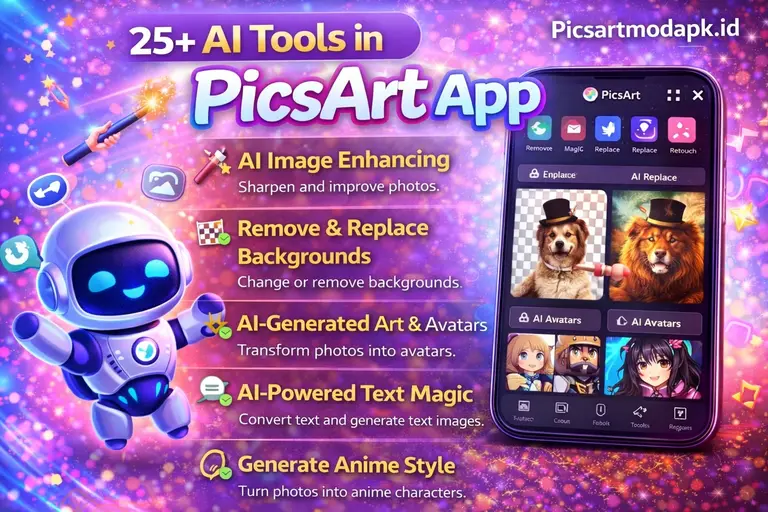
1. AI Image Generator
This one impressed me immediately.
You type something like “cyberpunk city at sunset, cinematic lighting” and it creates an image. It’s not perfect, but it’s surprisingly usable.
I once generated a fantasy background for a quote post because I couldn’t find the right stock image. It took 20 seconds.
2.AI Avatar Maker
Upload your selfie and choose a style like anime, fantasy, cartoon, cyber warrior.
It’s fun. Slightly addictive too.
Not always fully accurate, but great for profile pictures.
3. AI Replace
Select part of an image and replace it using text prompts.
I once replaced a boring sky with dramatic storm clouds. No complicated editing. That felt powerful.
4. AI Background Remover
One of the most practical tools.
It detects the subject and removes the background automatically. I use it often for thumbnails and product edits.
It’s not flawless, but it saves serious time.
5. AI Enhance
Blurry photo? AI Enhance sharpens it.
It won’t turn low-quality images into professional photos, but it improves clarity enough to make them usable.
Great for older pictures.
6. AI Expand
This feels futuristic.
Upload a portrait, and it expands the edges naturally.
I used it to turn a vertical image into a landscape banner. It worked better than I expected.
7. AI Remove Object
Select something you don’t want and it removes it easily.
Trash bins, random people, distractions.
Almost feels like magic.
8. AI Text-to-Image Backgrounds
Different from the full generator.
You can type “soft pastel background” or “grunge wall” directly inside your edit.
Instant mood change.
9. AI Style Transfer
Upload your image and apply artistic styles.
Oil painting. Sketch. Comic book.
Sometimes it’s too strong, but when it works, it looks intentional.
10. AI Photo Effects
These are more than filters.
They reinterpret your image with neon glow, glitch art, dream effects.
Great for quick dramatic story posts.
11. AI Face Retouch
Skin smoothing and minor corrections.
Keep it subtle. Too much looks fake.
12. AI Body Retouch
Reshaping tools.
Use carefully. It works best for small adjustments, not extreme changes.
13. AI Hair Color Changer
Test new hair colors instantly.
Great for reels or fun experiments.
14. AI Makeup Tool
Adds virtual makeup.
Not professional-level, but useful for quick beauty content.
15. AI Text Generator
Helps create captions or text ideas.
Not revolutionary, but helpful when you’re stuck staring at a blank screen.
16. AI Logo Maker
Enter your brand name. Choose a style.
You get instant logo ideas. Not full branding strategy, but useful for side projects.
17. AI Poster Maker
Type a theme, and it builds a layout.
I tried it for a mock event poster, and it gave structure I wouldn’t have thought of.
18. AI Sticker Generator
Describe a sticker. It creates one.
It’s fun. I once typed “sleepy moon holding coffee.” It delivered.
19. AI Smart Resize
Turn square posts into story size automatically.
Huge time saver for multi-platform creators.
20. AI Video Generator (Beta)
Still developing, but promising.
You can see where they’re heading with dynamic AI video tools.
21. AI Text Effects
Stylized or animated text.
Makes typography stand out without heavy design work.
22. AI Drawing Tool
Turns rough sketches into cleaner art.
Even messy doodles come out better than expected.
23. AI Collage Maker
Suggests layouts automatically.
Perfect when you want speed over perfection.
24. AI Template Suggestions
Based on your image, it recommends templates.
Small feature, but great for breaking creative blocks.
25. AI Product Background Creator
This one is gold for small sellers.
Just Upload your product and generate a lifestyle background.
Your coffee mug suddenly sits in a cozy café scene.
No photoshoot needed.
FAQs About AI Tools in Picsart App
Are AI tools in Picsart free?
Some basic AI features are free, but advanced tools require a Picsart Gold subscription.
Which AI tool is best in Picsart?
In my opinion, AI Background Remover and AI Replace are the most practical.
Can Picsart AI generate images from text?
Yes. The AI Image Generator allows text-to-image creation in simple steps.
Is Picsart AI good for business use?
Yes, especially for quick product backgrounds, logos, and social content.
Does Picsart AI work on mobile?
Yes. That’s actually its biggest strength.